For online tutors
Free online whiteboard for tutoring: what each free plan really allows
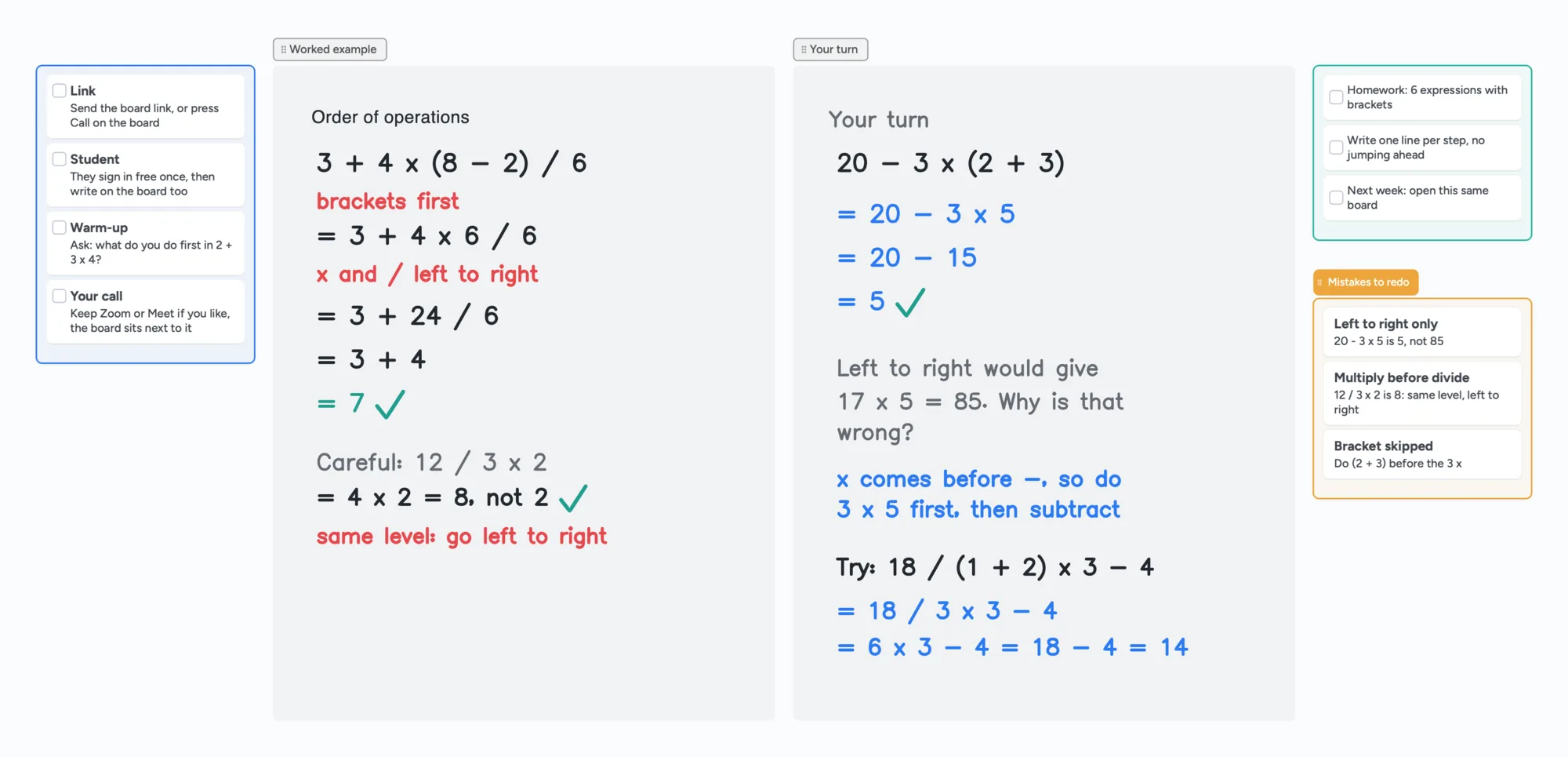
Almost every tutoring whiteboard says "free". Most mean three boards, a few minutes of collaboration, or a trial that ends. This page lists what each vendor's own page says a free plan gives you, checked on November 5, 2026, so you can pick the limit that hurts you least. A ready lesson board is below.
Opens in your browser. Anyone can view; a free sign-in lets you edit.
Updated
The short answer
- Can my student write too, and do they need an account? Your student opens your link with no account and can view. To write, they sign in once, free, with Google, Apple or email. New boards start view-only, so set the board to "Anyone who joins can edit" before you send it. Free calls on the board run up to 60 minutes per call, with a warning 10 minutes before the end; everyone signs in free, calls aren't recorded, and Pro has no limit.
- Have a PDF worksheet? A PDF you import opens as a page board you write on, and it uses 1 of your 5 free boards.
- Almost every free plan here has a cap. Zoom Whiteboard, Miro and Ziteboard give you 3 boards, Explain Everything 3 projects and 15 minutes of collaboration, Bitpaper only lets you join, Lessonspace has no free plan, Whiteboard.chat boards expire after 7 days and Koala Go's free class holds 4 students. PhiBoard says it has no limits and no Pro version, but it is a math whiteboard. Instaboard gives you 5 boards in your list and 150 items across your account; pen strokes don't count.
- Check two things before you pick: can your student write (most tools want a sign-in, and some want a paid add-on for guests), and does the free call last a lesson.
- If you teach math, WooWhiteboard's free equation editor and graphing beat what we have. If you teach by hand with worksheets and want the call on the board, read on.
What each free plan allows (checked November 5 and 11, 2026)
Each row comes from the vendor's own pricing, help or home page, read on November 5, 2026 (the last six rows on November 11, 2026). Plans change, so check the page linked in the sources before you commit.
| Tool | What free gives you | The catch for a tutor | Paid from (as listed) |
|---|---|---|---|
| Instaboard | 5 boards in your list, 150 items across your account (pen strokes, sections and arrows don't count), 3 images and 1 file per board, unlimited collaborators, calls up to 60 minutes | Your student signs in free to write. A board someone sends you counts toward your 5. Eraser removes whole strokes. No recording | $5/month billed yearly ($59.99/year), or $7.99 monthly |
| Zoom Whiteboard (Basic) | 3 concurrently editable whiteboards, unlimited collaboration, export to images and PDF | Free Zoom meetings end at 40 minutes. Zoom's pricing text says Basic boards can be shared publicly; its sharing article says external users can be added "when enabled by admin", so test it with your student | Whiteboard Unlimited add-on from $2.07/month/user |
| Explain Everything (Free, listed under Plans for Education) | Up to 3 projects, 1 slide per project, collaborate with 1 person for up to 15 minutes | Fifteen minutes of collaboration is shorter than a lesson | Advanced $69/year (collaboration up to 30 minutes) |
| Ziteboard (Free) | 3 boards you own, unlimited shared boards and collaborators, image import (low-res), PDF import first page only | Audio and video chat, full PDF import and highlighter are Pro. Guests joining without registering needs a paid add-on on a Pro account | Pro (see Ziteboard's pricing page) |
| Bitpaper (Free) | Join papers and calls others created. A 30-day free trial of the tutor plan | You can't create papers on Free. If you cancel, existing papers stay but become read-only | Individual $15/month |
| Miro (Free) | Unlimited boards, but only the 3 most recent stay editable | Visitor editing, where people edit with no sign-in, is listed under Starter, not Free | Starter $8/member/month, billed yearly |
| Lessonspace | No free plan, only a free trial | Billed per hour once two or more people are connected; sessions with more than 4 people cost extra | Basic $9/month including 10 hours, then $1.95/hour |
| WooWhiteboard | Free: equation editor, function graphing on a grid, Wolfram Alpha integration, video chat, screen share | The home and teaching pages we read list no free-plan limits and no prices. Its terms say users must be 18 or older, so check them before you rely on it | Not listed on the pages we read |
| Excalidraw (Free) | Full editor, 1 infinite scene, unlimited collaborators by link, export to PNG or SVG | Voice hangouts and screensharing are Plus features, so you still need Zoom or Meet for the call | Plus $6 a month per user as listed (the page also offers yearly billing) |
| Whiteboard.chat (Educator Free) | 10 class boards, 30 minutes of audio/video conferencing, ads on the teacher's board only. Its home page says free to use with no registration required and up to 100 students per class | A free board is deleted after 7 days unless you refresh it, and the free plan is "Students Invite Only" with no co-teacher. Basic keeps 20 boards indefinitely and Gold keeps all of them | Starter $30, Basic $70, Gold $150 on its annual view |
| PhiBoard | Says "no subscription, no Pro version" and no board limit: function graphs, LaTeX formulas, shapes, voice chat on a shared board, save as PDF or image | Math-first; its lessons follow the Polish core curriculum. You create a free account to make a board, guests join a public board by link, and up to five people edit at once. Voice chat is listed, not video | None listed |
| LearnCube (Virtual Classroom Basic) | Unlimited 1:1 classes (marked with an asterisk), video, audio and chat, and a whiteboard. Materials Library of up to 10 files | Group classes, branding, saved class notes and breakout rooms are Pro. The pricing text we read doesn't explain the asterisk | Pro from $19; Online School Premium from $99 |
| Koala Go (Koala Free) | Up to 4 students per session, up to 3 activities, limited co-browser, invoicing with a 4.5% fee, ads | Uploading PDFs and PowerPoints is Pro and cloud recordings are Platinum. It is built as a kid-friendly classroom with avatars and games | Pro $21.99/month ($263.88/year); Platinum $39.99/month ($479.88/year) |
| Nuxoboard | Free and open source (MIT): rooms with a join link and an 8-character code, LaTeX, graphs, PDF, Word and PowerPoint import, a private copy of a canvas per student. Its FAQ says students need no account, only a name | Teachers sign up with an email. It lists room chat and reactions, not a video call, so you still need Zoom or Meet for the call | None listed ("Free forever for teachers and students") |
| Draw.Chat | Free with no time limit on sessions; draw on PDFs, images and maps; built-in voice and video chat. Its FAQ says no account is needed | Boards are temporary: unused boards are deleted after 31+ days, and uploaded files may go after a longer inactivity. Optional ad cookies fund the service | None listed on the pages we read |
Swipe the table sideways to see every column.
Read from each vendor's own page on November 5, 2026 (links in the sources); the Whiteboard.chat, PhiBoard, LearnCube, Koala Go, Nuxoboard and Draw.Chat rows were read on November 11, 2026. PhiBoard, Nuxoboard and Draw.Chat have no pricing page (it returns 404), so those rows come from the home page and FAQ. Explain Everything's free and $69 rows are listed on its Plans for Education tab; we did not read its individual and commercial plans. Prices exclude tax. Instaboard figures are from our own plans.
Which limit will bite you first
- Number of boards. A tutor with six regular students runs into a cap of 3 (Zoom, Miro, Ziteboard) or 5 (Instaboard) in the first month. Reusing one board per student and wiping it works on any of them. On Instaboard pen strokes don't count toward the 150 items, so ink-heavy boards go a long way.
- Collaboration time. Explain Everything's free plan stops collaboration at 15 minutes. If your lesson is an hour, that rules it out.
- Who can write. Instaboard: anyone with the link can view, writing needs a free sign-in with Google, Apple or email. Zoom: depends on your plan and your admin's settings. Ziteboard: guests without an account need a paid add-on. Miro: visitor editing is Starter. Bitpaper: your student joins on the free plan, you pay to create.
- The call. A free whiteboard still needs a way to talk. Free Zoom meetings end at 40 minutes; Google Meet's own page says free one-to-one calls can run up to 24 hours. Instaboard's built-in free calls run up to 60 minutes per call, with a warning 10 minutes before the end; calls need a free sign-in, there is no recording, and Pro has no limit. More: the Zoom 40-minute limit for tutors and a whiteboard for Google Meet.
Five checks before you call a tutoring whiteboard free
- Who the free plan is for. Some free plans are for tutors, some for classrooms or schools. Teach with Koala's free plan, for example, allows up to 4 students per session (its pricing page).
- Whether your student can write, and with what. Some tools need no sign-in, some a free account, some a paid add-on. Instaboard: anyone with the link can view; your student signs in free with Google, Apple or email to write.
- What happens at the board cap. On Instaboard a board someone sends you counts toward your 5. At 5 you can't create more, but a shared link still opens. Zoom Whiteboard, Miro and Ziteboard stop at 3.
- How long the call lasts. Free Zoom meetings end at 40 minutes, and Google Meet's help page says that without a subscription, on a computer, one-on-one meetings can run up to 24 hours. Instaboard's built-in free calls run up to 60 minutes per call, with a warning 10 minutes before the end; calls need a free sign-in, there is no recording, and Pro has no limit.
- What is left next week. MeetAll's board is for the call only: its page says the drawing isn't saved and to take a screenshot to keep it (read November 13, 2026). An Instaboard board stays at the same link.
Then test with your student on the device they will really use: an iPad and Apple Pencil, a Chromebook (open the board in the Chrome browser) or a phone.
Can my student join from a phone?
Yes. Your student can join and write from a phone, and you see it live on your board. We tested it on an iPhone simulator, not on a physical phone.
- Open Share on your board and set it to "Anyone who joins can edit". New boards start view-only.
- Send the link, or tap "Get a join code" and read out the 4-digit code (it expires after 2 hours of inactivity). The code goes into Join board on the app's Home screen.
- On an iPhone the link opens in the Instaboard app; there is also an Android app. Your student signs in free with Google, Apple or email.
- They write with a finger: ink, cards and text boxes. Everything shows on your board within seconds.
Honest limits. A phone screen is for short answers, circling something and typing a step, not for long working. When the keyboard is open it covers a large part of the screen, and small text on a busy board is hard to read. On a free plan the board you share takes 1 of your student's 5 boards, and the cards they add count toward their own 150 items (pen strokes don't count).
Your student's homework photo on the board
Your student adds the photo from their photo library, and you both write on it live. Put the photo on the board first and write after: ink drawn before a photo ends up hidden behind it, while ink drawn after it shows on top.
- 3 photos per free board. The 4th is blocked with "Photo not added — Free allows 3 photos per board." The 3 are shared by you and your student, because it is your board.
- A photo is 1 item toward the 150 on the account of whoever added it.
- Photo library. The photos come from the student's photo library.
See a homework photo next to a working in a short clip on using an iPad as a whiteboard in Zoom.
Quick picks: which free whiteboard for which tutor
Pick by the job, not by a rank: the rows are in no order. Each vendor row was read from the vendor's own page on November 13, 2026, and plans change, so check the link in the sources before you commit. Instaboard is our product and sits in the last row.
| You mostly need | Look at | The catch |
|---|---|---|
| Your student writes with no sign-in at all | Nuxoboard (its FAQ: students enter a name), Draw.Chat (its home page: no account required), MeetAll (its page: no sign-up, the link works for 24 hours) | MeetAll's board is for the call: closing it deletes the drawing, and its page says to take a screenshot to keep it. Instaboard is not the one here: your student signs in free to write |
| Free math tools | WooWhiteboard, PhiBoard, Nuxoboard (LaTeX, graphs, calculator) | We have equation cards and a Desmos card, with no plotter or algebra engine |
| Video, chat, PDF markup and recording in one free tab | Educastic (its page lists the whiteboard, video, chat, screen sharing and recording in the free version, PDFs up to 10 MB each) | We don't record, and a free call on Instaboard ends at 60 minutes |
| A tutoring-only tool with maths calculators | Tutorboard (14 days free, then £4.99 a month for Base, an app plan that saves boards to your Mac, or £9.99 a month for Premium, which adds teaching from a browser; its pricing section) | No free plan after the trial. Its page says students join with no account |
| A cheap paid plan where students always join free | Limnu (its tutors page: "Just $5 a month", students join free, unlimited whiteboards and video time, 14-day trial with no credit card) | Paid after the trial |
| Handwriting, a worksheet and the call on one board that stays at the same link | Instaboard | Your student signs in free to write. 5 boards, 150 items. Calls up to 60 minutes per call. No recording |
Swipe the table sideways to see every column.
Educastic, MeetAll, Tutorboard, Limnu, Nuxoboard and Draw.Chat read from their own pages on November 13, 2026. A tool built for a whole class of students holding mini whiteboards, such as AnswerBoards, is not a tutoring board and is left out. Instaboard figures are from our own plans.
What makes a whiteboard good for tutoring: five checks, answered for Instaboard
Teach with Koala's guide to tutoring whiteboards (read November 13, 2026) names the weak spots a good board fixes: pen pressure for handwriting, the PDF workflow and saving lessons. It also points to tutor-side control over what students can edit and to engagement for younger learners. Koala sells a tutoring classroom, so read the list as its view. Here is each check answered honestly for Instaboard.
- Handwriting. A pressure-sensitive pen and a highlighter, Apple Pencil and drawing tablets, and hold still to straighten a line. The eraser removes whole strokes; undo fixes the last thing you wrote.
- Marking up a worksheet. A PDF you import opens as a page board you write on (a flat picture, 1 of your 5 boards). Your student can add a homework photo from their photo library and you both write on it.
- Still there next week. The board keeps the same link. We don't record lessons.
- Control over student edits. You choose "Anyone who joins can edit" or view-only. Pro adds invite-only boards and per-person permissions. You can't lock a board during a lesson or make a student follow you; a student can tap your face to follow your view.
- Young students. Instaboard is for students 13 and older, and it has no avatars, games or rewards. If you teach younger children, a classroom tool like Koala Go is built for that.
Where the others are better
- Scribble Together for joining with no registration. Its home page (read November 9, 2026) says guests can join with a link or a temporary 4-digit code, "Guests don't need registration or passwords", and it lists unlimited guests free for a member, with the Member plan at $4.16 per month as listed. On Instaboard your student signs in free to write.
- WooWhiteboard for math. A built-in equation editor, function graphing and Wolfram Alpha, free. We have equation cards (typeset from a math keyboard), a Desmos card that needs internet, and ink. No plotter, no algebra engine. See an online whiteboard for math.
- Zoom for annotation. Zoom lets presenters and viewers draw on whatever is on screen (Zoom's annotation article, updated July 7, 2026).
- Google Meet for long free one-to-one calls. Up to 24 hours on Google's page, against our 60 minutes per call.
- Lessonspace for recordings. It stores recorded sessions for 90 days on every plan. We don't record.
- Excalidraw for diagrams, free with unlimited collaborators by link, if you never need worksheets or a call.
- Nuxoboard and Draw.Chat for students who join without an account. Nuxoboard's FAQ says students enter a name and are in; Draw.Chat's says no account is needed for anyone. Nuxoboard adds LaTeX, graphs and a private copy of a worksheet per student, and Draw.Chat has a call built in. On Instaboard your student signs in free to write.
- PhiBoard for free math. Function graphs and LaTeX formulas, with no Pro version listed. We have equation cards and a Desmos card, no plotter.
- Whiteboard.chat for a class. Every student gets their own board and the teacher watches them work in real time, with up to 100 students per class. Its free boards expire after 7 days unless you refresh them; ours stay at the same link.
- LearnCube for a free classroom with video. Its free Basic plan lists unlimited 1:1 classes with video, audio and chat. Our free calls end at 60 minutes per call.
- Koala Go for invoicing and a kid-friendly classroom. Parents can pay its invoices in their local currency, and it puts a tutor and students in an avatar room with games. We have no invoicing, and uploading PDFs there is a Pro feature.
Looking for a Ziteboard alternative?
Ziteboard is a browser whiteboard many tutors try first. Here is what its own pricing and FAQ pages say today (read November 9, 2026), next to what Instaboard's free plan gives. Plans change, so check the links in the sources before you commit.
| Ziteboard Free | Instaboard Free | |
|---|---|---|
| Boards | 3 boards you own; shared whiteboards and realtime collaborators are listed as unlimited | 5 boards in your list (a board someone sends you counts toward your 5) and 150 items across your account; pen strokes, sections and arrows don't count |
| Your student writing | Its FAQ says both tutor and student register an account and log in. Letting people join with no account is a paid add-on on top of a Pro account | Anyone with the link can view; your student signs in free (Google, Apple or email) to write |
| PDF worksheets | PDF import takes the first page only; full PDF import is Pro | PDF import opens as a page board you write on, and uses 1 of your 5 boards |
| Pictures | Image import is low-res on Free; high-quality import is Pro | 3 pictures per board |
| Video call | Audio and video chat are Pro | Free calls run up to 60 minutes per call, with a warning 10 minutes before the end. Everyone signs in free. No recording. Pro has no limit |
| Private boards | Pro (Free boards are public) | Invite-only boards are Pro |
| Paid | Pro adds unlimited boards, custom colors, highlighter, full PDF import, chat, audio and video and private boards; the price is on Ziteboard's pricing page (billed through PayPal) | $5/month billed yearly ($59.99/year), or $7.99 monthly |
Swipe the table sideways to see every column.
Ziteboard rows from ziteboard.com/pricing and ziteboard.com/faq, read November 9, 2026. Instaboard rows are from our own plans.
Where Ziteboard is better:
- Boards other people share with you are free. Its Free plan lists unlimited shared whiteboards and unlimited realtime collaborators, and its pricing page shows no item count (it lists limited data traffic, which does not apply when a Pro user joins the board). On Instaboard a board someone sends you counts toward your 5, and every card counts toward your 150 items.
- Guests who never register. If your student must write with no sign-in at all, Ziteboard's anonymous-board add-on (a Pro account plus a fee) is the way. On Instaboard writing needs a free sign-in.
- A single browser tab. Ziteboard says it needs no app or plugin and runs in any modern browser, with Safari recommended on iPad.
Where Instaboard fits: you want the video call on the board without paying, PDF worksheets that open as pages you both write on, or a board you keep at the same link next week. Reading Bitpaper's plan next to Ziteboard's? See Bitpaper alternatives for tutors.
When Instaboard is the free one to pick
- You write by hand (pen, Apple Pencil, a drawing tablet) and your student answers on the same page.
- You bring a worksheet or a photo of homework and mark it up.
- You want the call on the board, or to keep Zoom or Meet and put the board link in the chat.
- You want the board to be there next week at the same link.
Ready for more? The tutoring hub shows a lesson step by step, online tutoring setup covers gear, and session notes cover what to send afterwards.
What Instaboard's free plan doesn't do
- Your student needs a free sign-in to write.
- 5 boards in your list, and boards others send you count toward them. Past 5 you can't create more until you remove one or go Pro.
- No handwriting recognition, no plotter or algebra engine, no recording, no scheduling, and no class mode: you can't lock the board or make students follow you, though a student can tap your face to follow your view.
- The eraser removes whole strokes; undo is the quickest way to fix the last thing you wrote.
- 3 images and 1 file per board on the free plan.
Start from the ready board
It opens in your browser in a few seconds, with nothing to install. Sign in for free when you want to save it and share it.
Questions
What is the best free online whiteboard for tutoring?
It depends on the limit that matters to you. For math with equations and graphs, WooWhiteboard's free tools are stronger than ours. For handwriting, worksheets and a call on the same board, Instaboard's free plan fits. If you only draw diagrams, Excalidraw is free with unlimited collaborators by link.
Is there a tutoring whiteboard with no limits on the free plan?
PhiBoard says so outright: its home page lists no Pro version and no board limit, but it is built for math, allows five people editing at once and lists voice chat rather than video. Nuxoboard is free and open source, lists no paid plan and names no limits on the pages we read, but it has room chat rather than a video call. Each of the others caps boards, projects, collaboration time, how long a board lives or who can create. The cap that matters differs by how you teach, which is why the table lists them side by side.
Can my student write on the board without an account?
On Instaboard, anyone with the link can view, and writing needs a free sign-in with Google, Apple or email. Other tools differ: Zoom depends on your plan and admin settings, Ziteboard guests need a paid add-on, and Miro's visitor editing is listed under Starter.
How long can a free call on Instaboard last?
Free calls run up to 60 minutes per call, with a warning 10 minutes before the end. Calls need a free sign-in and there is no recording. Pro calls have no limit. You can also keep Zoom or Google Meet and put the board link in the chat.
Can my student write on the board from a phone?
Yes. Set the board to "Anyone who joins can edit", send the link or the 4-digit join code, and your student opens it in the Instaboard app (there is an iPhone and an Android app) and signs in free. They can write with a finger, add cards and type text boxes, and you see it live. A phone is best for short answers; the keyboard covers much of the screen while typing. We tested this on an iPhone simulator.
Can my student put a homework photo on the board and can we both write on it?
Yes. They add the photo from their photo library, then you both write on it live. Add the photo first and write after, because ink drawn before a photo is hidden behind it. A free board holds 3 photos; the 4th is blocked with "Photo not added — Free allows 3 photos per board." Each photo is 1 item toward the 150.
When do I need to pay?
When you outgrow 5 boards, or want no image limit or no call limit. Pro is $5 a month billed yearly ($59.99 a year), or $7.99 monthly.
Sources
- Scribble Together home page: sharing, guests and Member plan (read November 9, 2026)
- Zoom: Online whiteboard, plans and pricing (read November 5, 2026)
- Zoom: Sharing a whiteboard (KB0058153, updated 2026-03-24)
- Zoom: Understanding time limits for Zoom Meetings (KB0067966, updated 2025-10-29)
- Zoom: Using annotation tools for collaboration (KB0067931, updated 2026-07-07)
- Explain Everything pricing (read November 5, 2026)
- Ziteboard pricing (read November 5 and 9, 2026)
- Ziteboard FAQ: How does collaboration work? (read November 9, 2026)
- Bitpaper pricing (read November 5, 2026)
- Miro pricing (read November 5, 2026)
- Lessonspace pricing (read November 5, 2026)
- WooWhiteboard (read November 5, 2026)
- WooWhiteboard terms of service (read November 11, 2026)
- Excalidraw+ pricing (read November 5, 2026)
- Whiteboard.chat pricing and home page (read November 11, 2026)
- PhiBoard home page and FAQ (read November 11, 2026)
- LearnCube pricing (read November 11, 2026)
- Koala Go pricing (read November 11, 2026)
- Nuxoboard home page and FAQ (read November 11 and 13, 2026)
- Draw.Chat home page and FAQ (read November 11 and 13, 2026)
- Educastic online whiteboard (read November 13, 2026)
- MeetAll whiteboard (read November 13, 2026)
- Tutorboard home page and pricing (read November 13, 2026)
- Limnu for tutors (read November 13, 2026)
- Teach with Koala pricing (read November 13, 2026: Koala Free, up to 4 students per session)
- Google Meet Help: meeting length limits (read November 13, 2026)
- Teach with Koala: best online whiteboards for tutoring (read November 13, 2026)
- Google Meet Help: Requirements for Google Meet
Related
An online whiteboard for tutoring that works the way you teach
A free whiteboard for online tutoring: paste the worksheet, write with a pen, and your student answers on the same board. Call on it or beside Zoom.
An online whiteboard for math: write, graph and let your student write too
What a math tutor needs from an online whiteboard: handwriting, typed equations, graphs and worksheets, and which tools have each. Free limits compared, plus a ready slope lesson board.
A Zoom Whiteboard alternative where your student writes too
Zoom's free whiteboard gives you 3 editable boards, sharing is built around Zoom accounts, and free calls stop at 40 minutes. What tutors use instead, where Zoom is still better, and a ready lesson board.
An Explain Everything alternative for live lessons, where your student writes too
Explain Everything Free gives you 3 one-slide projects, 3-minute videos and 15 minutes of collaboration. What the paid plans add, what it does better, and a free board where your student writes live.
A Bitpaper alternative for tutors, now that free is join-only
Bitpaper's free plan can only join papers since April 2025, and a lapsed plan turns your papers read-only. What tutors use instead, where Bitpaper is still better, and how to move your lessons over.
A Lessonspace alternative for tutors who don't want to pay by the hour
Lessonspace has no free plan, only a trial: $9 a month covers 10 hours, then $1.95 an hour. What 10, 20 and 30 hours cost, what Lessonspace does better, and a free board where your student writes too.
The Zoom 40-minute limit: what it means for a one-hour lesson
Free Zoom meetings with others end at 40 minutes. What the rule says, and what a tutor can do for a one-hour lesson: Zoom Pro, Google Meet, Teams Free, or a call on the board.
Does Google Meet have a whiteboard? Not since Jamboard ended
Google Meet has no built-in whiteboard since Jamboard ended. How to open an add-on, what to check if it's missing, and a board your student can write on.
Online tutoring setup: what you need before your first lesson
What you need to start tutoring online: sound, light, camera, internet, a way to write, and a board your student writes on too. A plain checklist with a five-minute test call and a ready board to open.
A tutoring session notes template, filled in so you can see how it reads
A tutoring lesson plan template plus session notes, filled in for an invented student: outcome, next task, parent note. Copy it as one board link.